

用户选择
需要通过部门筛选用户时使用
基础用法
引入组件import UserSelect from "@/components/user-select/index.vue",默认查询全部部门,可通过不同的v-model进行多种属性绑定,提供id nickname username的双向绑定。可在已选用户中删除选中用户
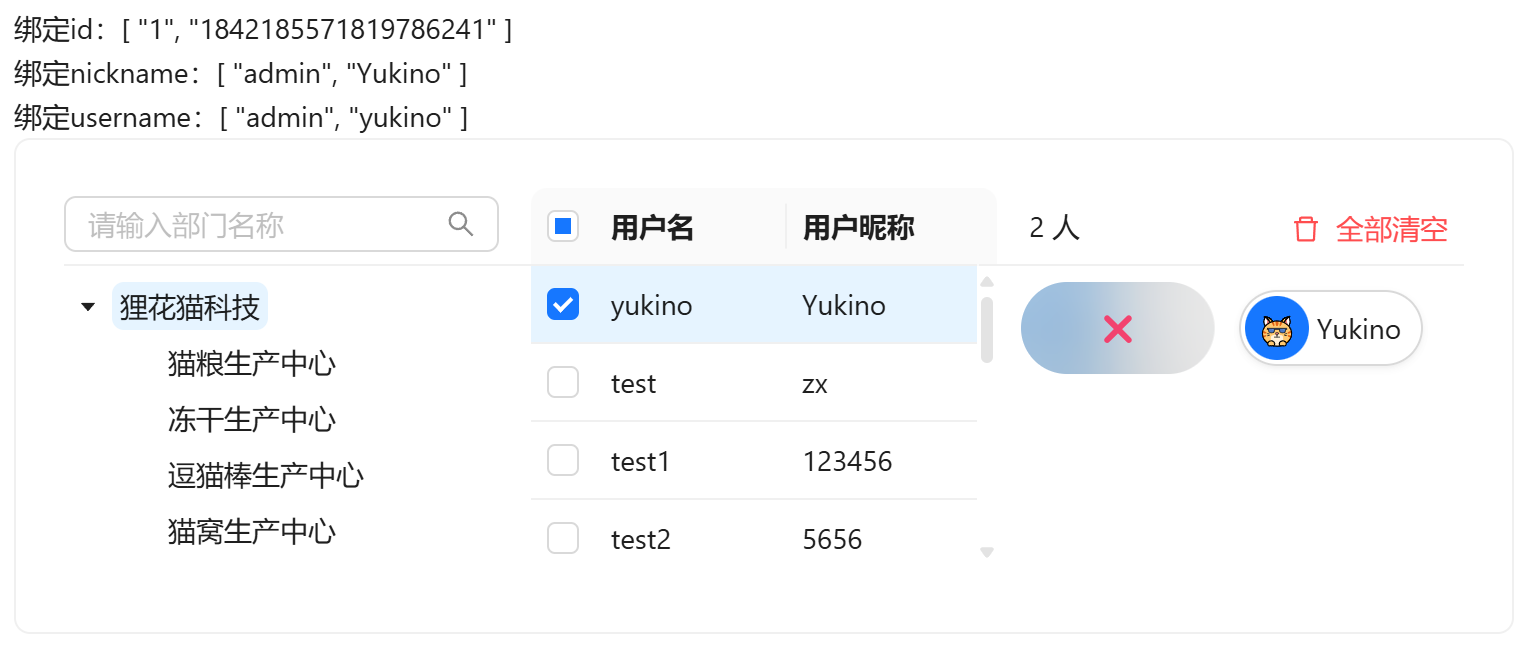
vue
<template>
  <div>
    <a-typography-title :level="4">基础用法</a-typography-title>
    <a-typography-text>绑定id:{{value}}</a-typography-text><br/>
    <a-typography-text>绑定nickname:{{nickname}}</a-typography-text><br/>
    <a-typography-text>绑定username:{{username}}</a-typography-text>
    <user-select v-model:id="value" v-model:nickname="nickname" v-model:username="username"/>
  </div>
</template>

<script setup lang="ts">
import UserSelect from "@/components/user-select/index.vue"
import {ref} from "vue";
const value = ref<string[]>([])
const nickname = ref<string[]>([])
const username = ref<string[]>([])
</script>
用户所属部门
通过:all-dept-data="false"指定仅获取当前登录用户拥有部门数据
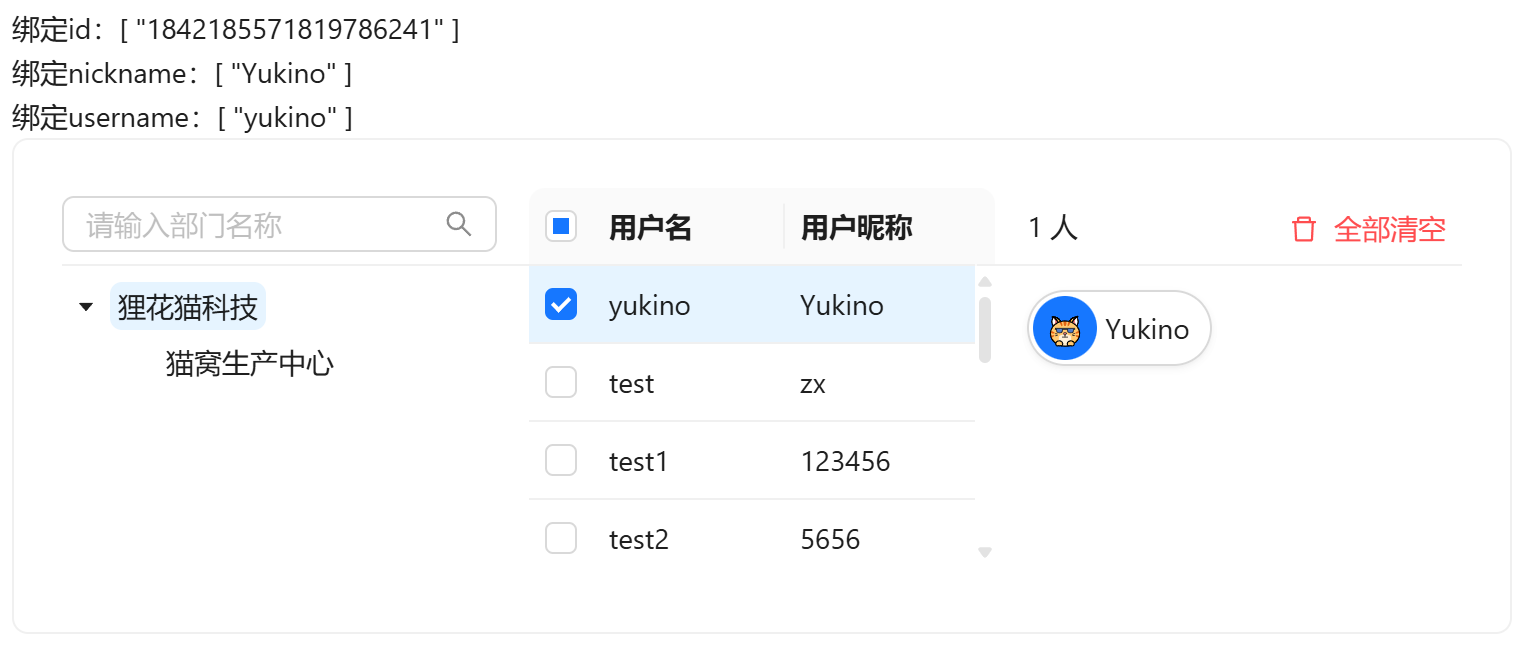
vue
<template>
  <div>
    <a-typography-title :level="4">用户所属部门</a-typography-title>
    <a-typography-text>绑定id:{{value}}</a-typography-text><br/>
    <a-typography-text>绑定nickname:{{nickname}}</a-typography-text><br/>
    <a-typography-text>绑定username:{{username}}</a-typography-text>
    <user-select v-model:id="value"
                 v-model:nickname="nickname"
                 v-model:username="username"
                 :all-dept-data="false"
    />
  </div>
</template>

<script setup lang="ts">
import UserSelect from "@/components/user-select/index.vue"
import {ref} from "vue";
const value = ref<string[]>([])
const nickname = ref<string[]>([])
const username = ref<string[]>([])
</script>
自定义宽高
通过width和height属性修改组件尺寸
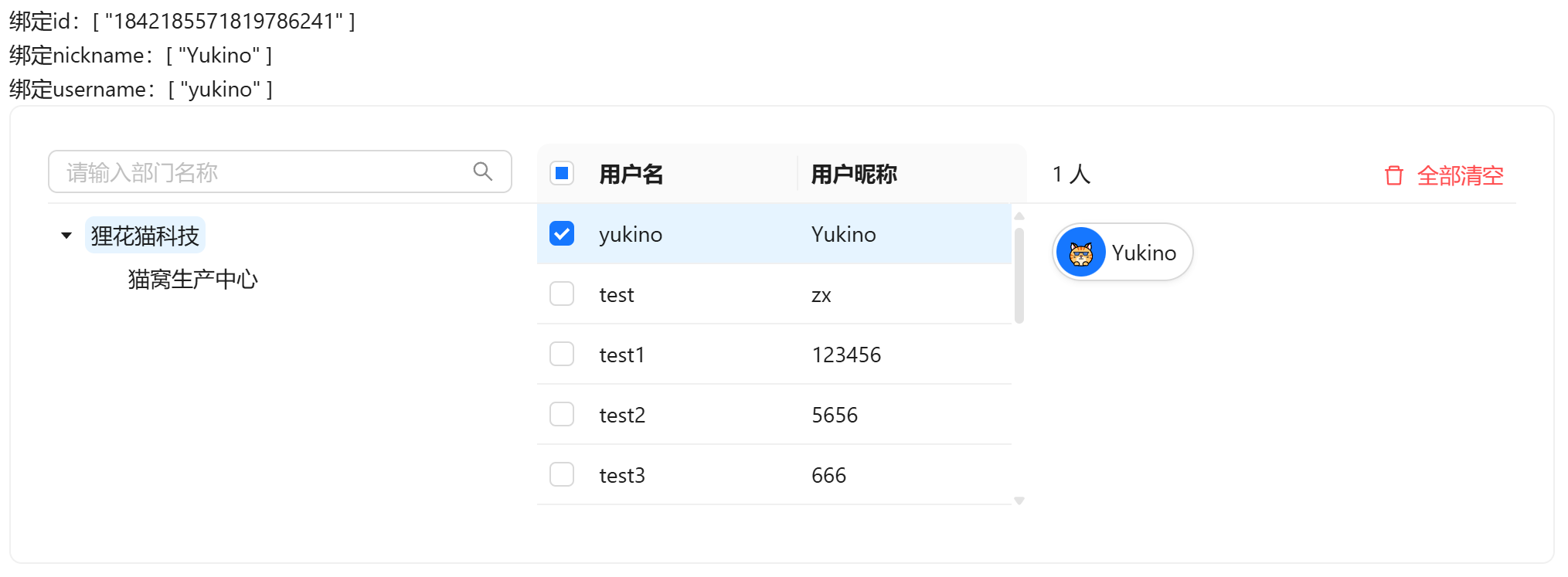
vue
<template>
  <div>
    <a-typography-title :level="4">自定义宽高</a-typography-title>
    <a-typography-text>绑定id:{{value}}</a-typography-text><br/>
    <a-typography-text>绑定nickname:{{nickname}}</a-typography-text><br/>
    <a-typography-text>绑定username:{{username}}</a-typography-text>
    <user-select v-model:id="value"
                 v-model:nickname="nickname"
                 v-model:username="username"
                 :all-dept-data="false"
                 :width="1000"
                 :height="200"
    />
  </div>
</template>

<script setup lang="ts">
import UserSelect from "@/components/user-select/index.vue"
import {ref} from "vue";
const value = ref<string[]>([])
const nickname = ref<string[]>([])
const username = ref<string[]>([])
</script>
API
双向绑定
| 属性名称 | 描述 | 类型 | 默认值 | 是否必填 |
|---|---|---|---|---|
| v-model:id | 双向绑定用户id | string[] | - | 否(最起码绑定一个) |
| v-model:username | 双向绑定用户用户名 | string[] | - | 否(最起码绑定一个) |
| v-model:nickname | 双向绑定用户昵称 | string[] | - | 否(最起码绑定一个) |
属性
| 属性名称 | 描述 | 类型 | 默认值 | 是否必填 |
|---|---|---|---|---|
| height | 组件高度 | number | 151 | 否 |
| width | 组件宽度(三个区域均分) | number | 750 | 否 |
| bordered | 显示组件边框 | boolean | true | 否 |
| bodyStyle | 组件卡片body样式 | object | {} | 否 |
| allDeptData | 是否加载全部部门(false仅加载当前用户所属部门) | boolean | true | 否 |
| emptyDescription | 部门为空时提示词 | string | - | 否 |
方法
| 方法名称 | 描述 | 参数 |
|---|---|---|
| change | 选中用户变化时触发 | 选中的用户数组 |