

富文本编辑器
表单中需要富文本编辑器时使用
提示
此组件为tinymce的二次封装,依赖文件在 public/tinymce 中(将node_modules/tinymce 中的内容复制到 public/tinymce )
public/tinymce/langs/zh_CN.js 中为汉化包;public/tinymce/skins 中包含自定义主题,需要覆盖时请谨慎操作
基础用法
引入组件import Editor from "@/components/tinymce-editor/index.vue" 后使用 v-model="value" 双向绑定即可
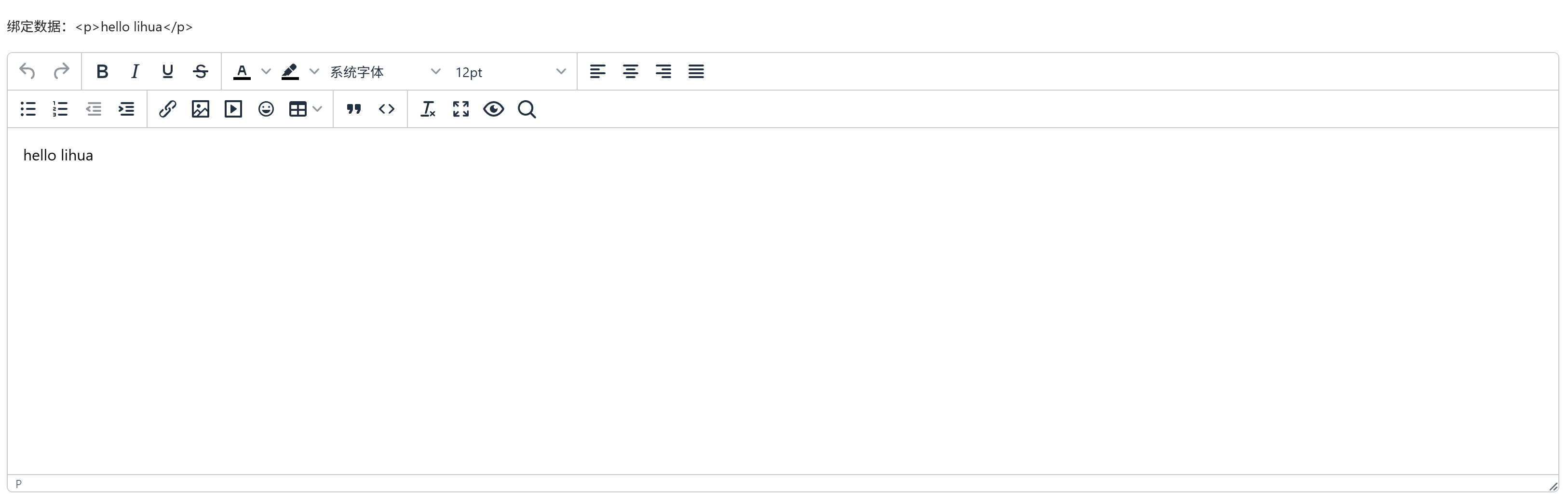
vue
<template>
  <a-typography-title :level="4">基础用法</a-typography-title>
  <a-typography-text>绑定数据:{{value}}</a-typography-text>
  <editor v-model="value"/>
</template>

<script setup lang="ts">
import Editor from "@/components/tinymce-editor/index.vue"
import {ref} from "vue";

const value = ref<string>('')
</script>
API
双向绑定
| 属性名称 | 描述 | 类型 | 默认值 | 是否必填 |
|---|---|---|---|---|
| v-model | 双向绑定 | string | - | 是 |
属性
| 属性名称 | 描述 | 类型 | 默认值 | 是否必填 |
|---|---|---|---|---|
| height | 编辑器高度 | string | number | 50vh | 否 |
| autoDownloadPasteImg | 是否自动下载剪贴板中的图片 | boolean | false | 否 |
| attachmentURLPrefix | 附件访问地址前缀类型 | "baseURL" | "origin" | origin |
| businessCode | 业务编码,用于附件归属 | string | - | 否 |
| businessName | 业务名称,用于附件归属 | string | - | 否 |
| imageType | 允许上传的图片类型(后缀名数组) | string[] | [] | 否 |
| imageMaxSize | 图片最大上传大小(字节) | number | 1024 * 1024 * 2 | 否 |
| mediaType | 允许上传的媒体类型(后缀名数组) | string[] | [] | 否 |
| mediaMaxSize | 媒体文件最大上传大小(字节) | number | 1024 * 1024 * 2 | 否 |
| fileType | 允许上传的文件类型(后缀名数组) | string[] | [] | 否 |
| fileMaxSize | 文件最大上传大小(字节) | number | 1024 * 1024 * 2 | 否 |