
全屏遮罩
Mask 组件适合在自定义弹窗等组件中遮挡背景使用
Spin 适合在ts中进行耗时操作时加载动效缓解用户焦虑
Mask遮罩基础用法
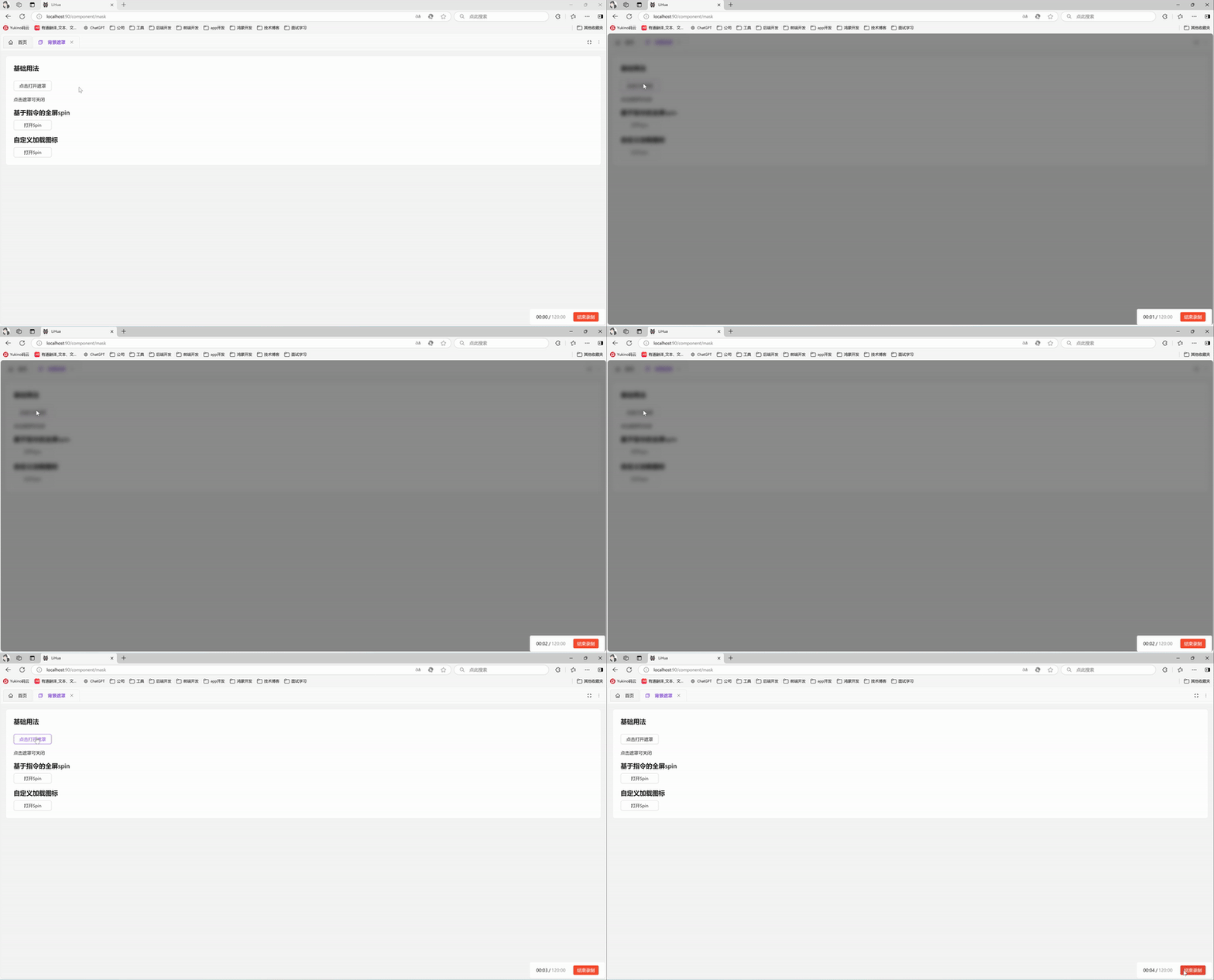
引入组件import Mask from "@/components/mask/index.vue后通过show-mask属性控制是否显示遮罩。遮罩打开期间默认锁定页面滚动(lock-scroll 默认 true,经 utils/scrollbar 的滚动锁通道实现),关闭时自动恢复
vue
<template>
  <a-typography-title :level="4">基础用法</a-typography-title>
  <a-button @click="showMask = true" style="width: 120px">点击打开遮罩</a-button>
  <a-typography-text>点击遮罩可关闭</a-typography-text>
  <Mask :show-mask="showMask" @click="showMask = false"/>
</template>

<script setup lang="ts">
import Mask from "@/components/mask/index.vue"
import {ref} from "vue";
const showMask = ref<boolean>(false)
</script>
关闭滚动锁
滚动锁需与遮罩显影解耦的使用方(如 expandable-card 关闭后遮罩即刻消失、滚动锁须持有至折叠动画完成)可传 lock-scroll="false" 自管锁时机
vue
<template>
  <Mask :show-mask="showMask" :lock-scroll="false" @click="showMask = false"/>
</template>
Spin基础用法
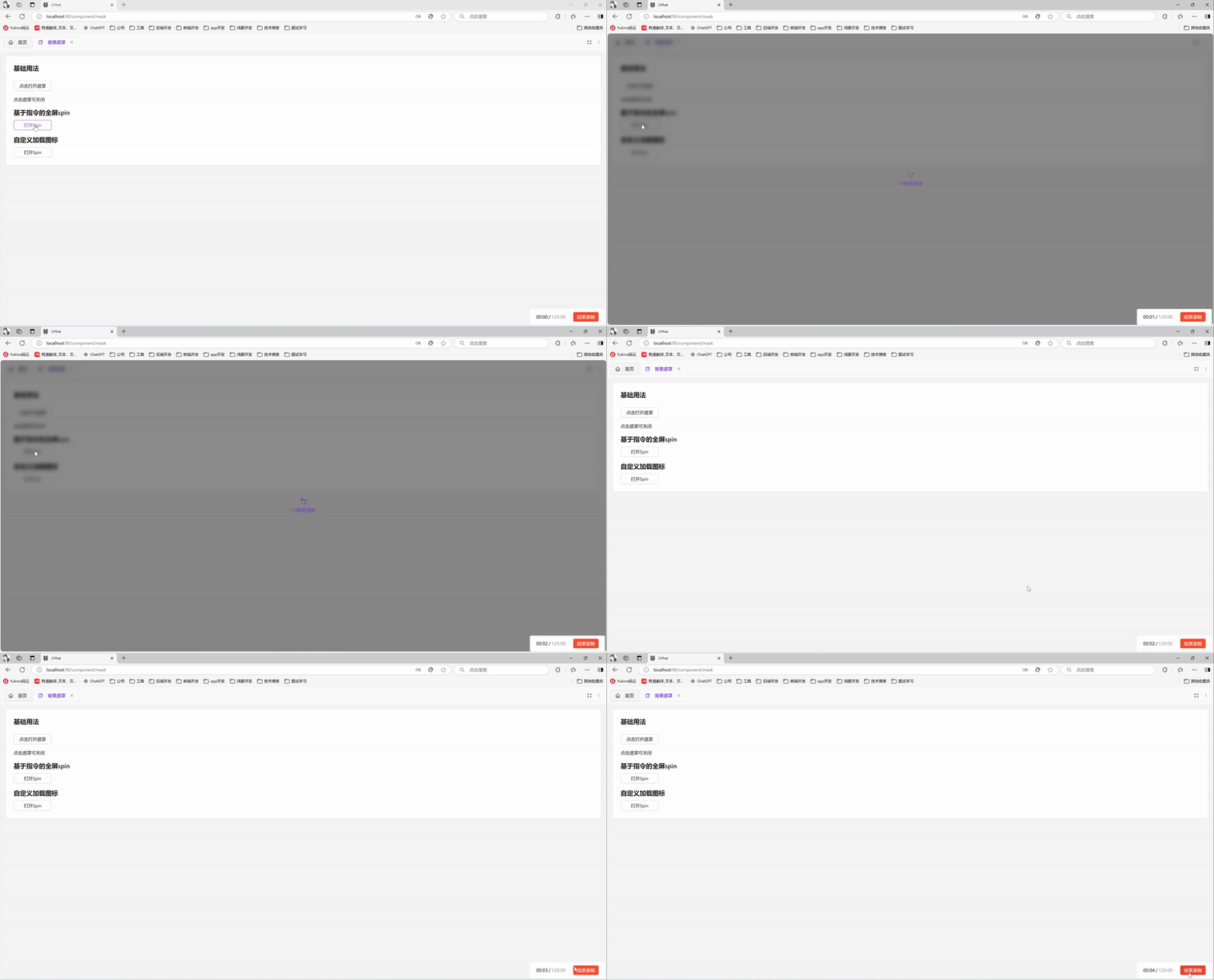
Spin 是基于 antdv-next Spin 全屏能力封装的函数式组件,引入组件import Spin from '@/components/spin' 后通过Spin.service()可打开全屏遮罩,返回spin实例,调用 close() 关闭(单例:重复调用返回同一实例)
vue
<template>
  <div>
    <a-typography-title :level="4">函数式全屏spin</a-typography-title>
    <a-button @click="openSpin" style="width: 120px">打开Spin</a-button>
  </div>
</template>

<script setup lang="ts">
import Spin from '@/components/spin';
// 打开全屏加载并在1.5s后关闭
const openSpin = () => {
  const spin = Spin.service({
    description: '1.5秒后关闭',
  })
  setTimeout(() => {
    spin.close()
  },1500)
}
</script>
Spin修改加载图标
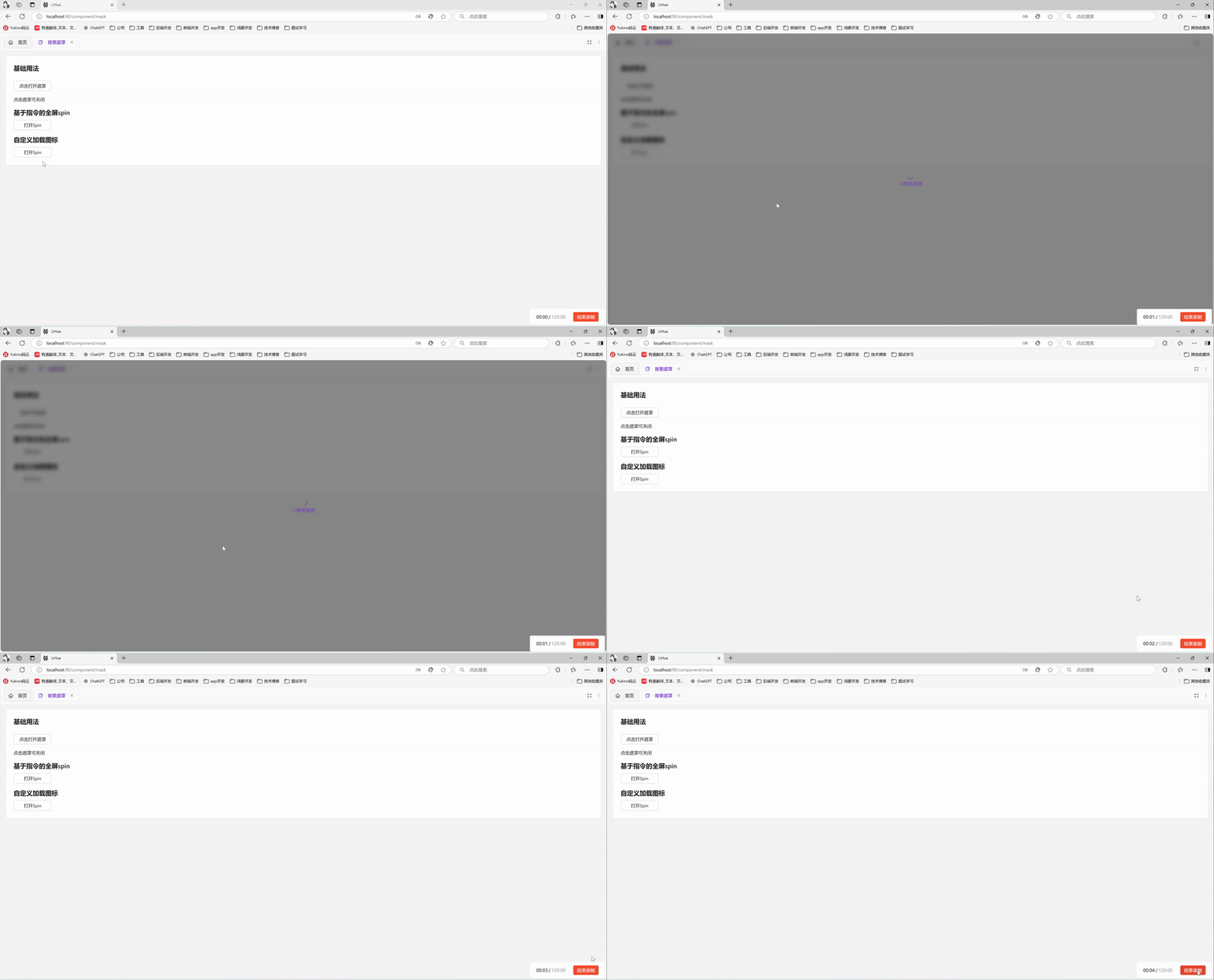
Spin组件支持官方属性,参考antdv-next官方文档可进行调整
vue
<template>
  <div>
    <a-typography-title :level="4">自定义加载图标</a-typography-title>
    <a-button @click="openSpin" style="width: 120px">打开Spin</a-button>
  </div>
</template>

<script setup lang="ts">
import Spin from '@/components/spin';
import {LoadingOutlined} from "@antdv-next/icons";
import { h } from 'vue';
const indicator = h(LoadingOutlined, {
  style: {
    fontSize: '24px',
  },
  spin: true,
});
// 打开全屏加载并在1.5s后关闭
const openSpin = () => {
  const spin = Spin.service({
    description: '1.5秒后关闭',
    indicator: indicator,
  })
  setTimeout(() => {
    spin.close()
  },1500)
}
</script>
API
Mask属性
| 属性名称 | 描述 | 类型 | 默认值 | 是否必填 |
|---|---|---|---|---|
| showMask | 显示遮罩 | boolean | - | 是 |
| zIndex | 层级 | number | 1000 | 否 |
| lockScroll | 遮罩打开期间是否锁定页面滚动(滚动锁需与遮罩显影解耦的使用方传 false 自管锁时机) | boolean | true | 否 |
Mask事件
| 事件名称 | 描述 | 回调参数 |
|---|---|---|
| click | 点击遮罩时触发 | KeyboardEvent | MouseEvent , 'mask' |
Spin属性
| 属性名称 | 描述 | 类型 | 默认值 | 是否必填 |
|---|---|---|---|---|
| description | 自定义描述文案 | string | slot | - | 否 |
| delay | 延迟显示加载效果的时间(防止闪烁) | number | - | 否 |
| indicator | 加载指示符 | vNode|slot | - | 否 |
| spinning | 是否为加载中状态 | boolean | true | 否 |
| size | 组件大小 | small | default | large | default | 否 |
详见官方文档
Spin实例
| 方法名称 | 描述 |
|---|---|
| close() | 关闭Spin |