

富文本编辑器
表单中需要富文本编辑器时使用
提示
此组件为TinyMCE 8的二次封装(3.0 由 Vditor 迁移而来),基于 @tinymce/tinymce-vue 集成,依赖文件在 public/tinymce 中(将node_modules/tinymce 中的内容复制到 public/tinymce )
public/tinymce/langs/zh_CN.js 中为汉化包;public/tinymce/skins 中包含自定义主题(含暗色皮肤 custom-dark),需要覆盖时请谨慎操作
基础用法
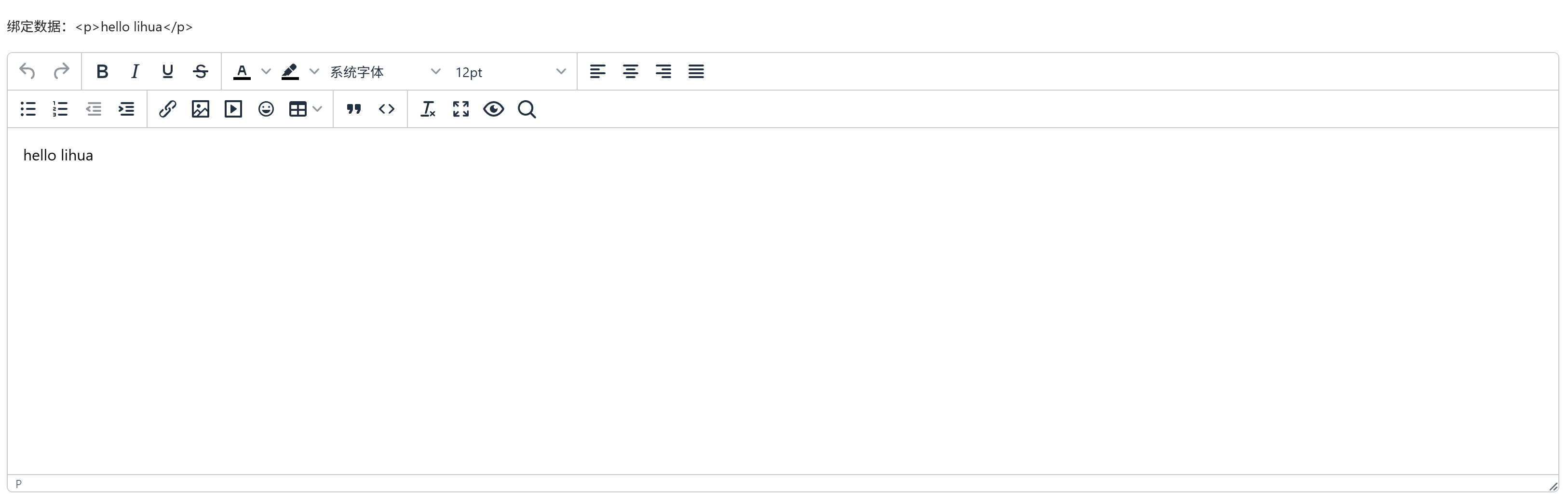
引入组件import Editor from "@/components/tinymce-editor/index.vue" 后使用 v-model="value" 双向绑定即可
vue
<template>
  <a-typography-title :level="4">基础用法</a-typography-title>
  <a-typography-text>绑定数据:{{value}}</a-typography-text>
  <editor v-model="value"/>
</template>

<script setup lang="ts">
import Editor from "@/components/tinymce-editor/index.vue"
import {ref} from "vue";

const value = ref<string>('')
</script>
图片/媒体/文件上传
编辑器工具栏中的图片、媒体、文件按钮均接入系统附件上传(公开附件),上传成功后正文写入附件的公开永久链接。通过 image-type / media-type / file-type 限制各类型的后缀名白名单(忽略大小写),image-max-size 等系列属性限制大小(字节)。未显式传 business-code 时业务编码自动跟随当前路由名(keep-alive 复用切路由后不过期)
vue
<template>
  <a-typography-title :level="4">限制上传类型</a-typography-title>
  <editor v-model="value"
          business-code="notice"
          :image-type="['.png', '.jpg', '.jpeg', '.webp']"
          :image-max-size="1024 * 1024 * 5"
  />
</template>

<script setup lang="ts">
import Editor from "@/components/tinymce-editor/index.vue"
import {ref} from "vue";
const value = ref<string>('')
</script>
粘贴图片自动转存
auto-download-paste-img 默认开启:粘贴含外链图片的内容时,编辑器会自动拉取图片二进制并转存为系统附件,正文中的 src 替换为站内永久链(外链跨域拒绝或已失效时保留原 src 并提示)。编辑器随亮暗主题自动切换皮肤,切换暗色模式后编辑器自动重载
API
双向绑定
| 属性名称 | 描述 | 类型 | 默认值 | 是否必填 |
|---|---|---|---|---|
| v-model | 双向绑定 | string | - | 是 |
属性
| 属性名称 | 描述 | 类型 | 默认值 | 是否必填 |
|---|---|---|---|---|
| height | 编辑器高度 | string | number | '50vh' | 否 |
| autoDownloadPasteImg | 是否自动下载剪贴板中的图片 | boolean | true | 否 |
| businessCode | 业务编码,用于附件归属 | string | 当前路由名 | 否 |
| imageType | 允许上传的图片类型(后缀名数组) | string[] | [] | 否 |
| imageMaxSize | 图片最大上传大小(字节) | number | 1024 * 1024 * 2 | 否 |
| mediaType | 允许上传的媒体类型(后缀名数组) | string[] | [] | 否 |
| mediaMaxSize | 媒体文件最大上传大小(字节) | number | 1024 * 1024 * 2 | 否 |
| fileType | 允许上传的文件类型(后缀名数组) | string[] | [] | 否 |
| fileMaxSize | 文件最大上传大小(字节) | number | 1024 * 1024 * 2 | 否 |