

字典标签
需要进行字典翻译时使用
主题适配
字典的回显颜色沿用后端按 antd 命名维护的 tagStyle,组件内部做了 antd → sard 主题名适配:processing→primary、default→secondary、error→danger,success/warning 同名直传,其余值按 sard 默认主题渲染。
基础用法
引入组件
import DictTag from "@/components/dict-tag/index.vue"引入方法
import {initDict} from "@/helpers/dict",初始化字典选项const {sys_status} = initDict("sys_status")设置字典选项
:dict-data-option="sys_status"设置需要被翻译的值
dict-data-value="0"
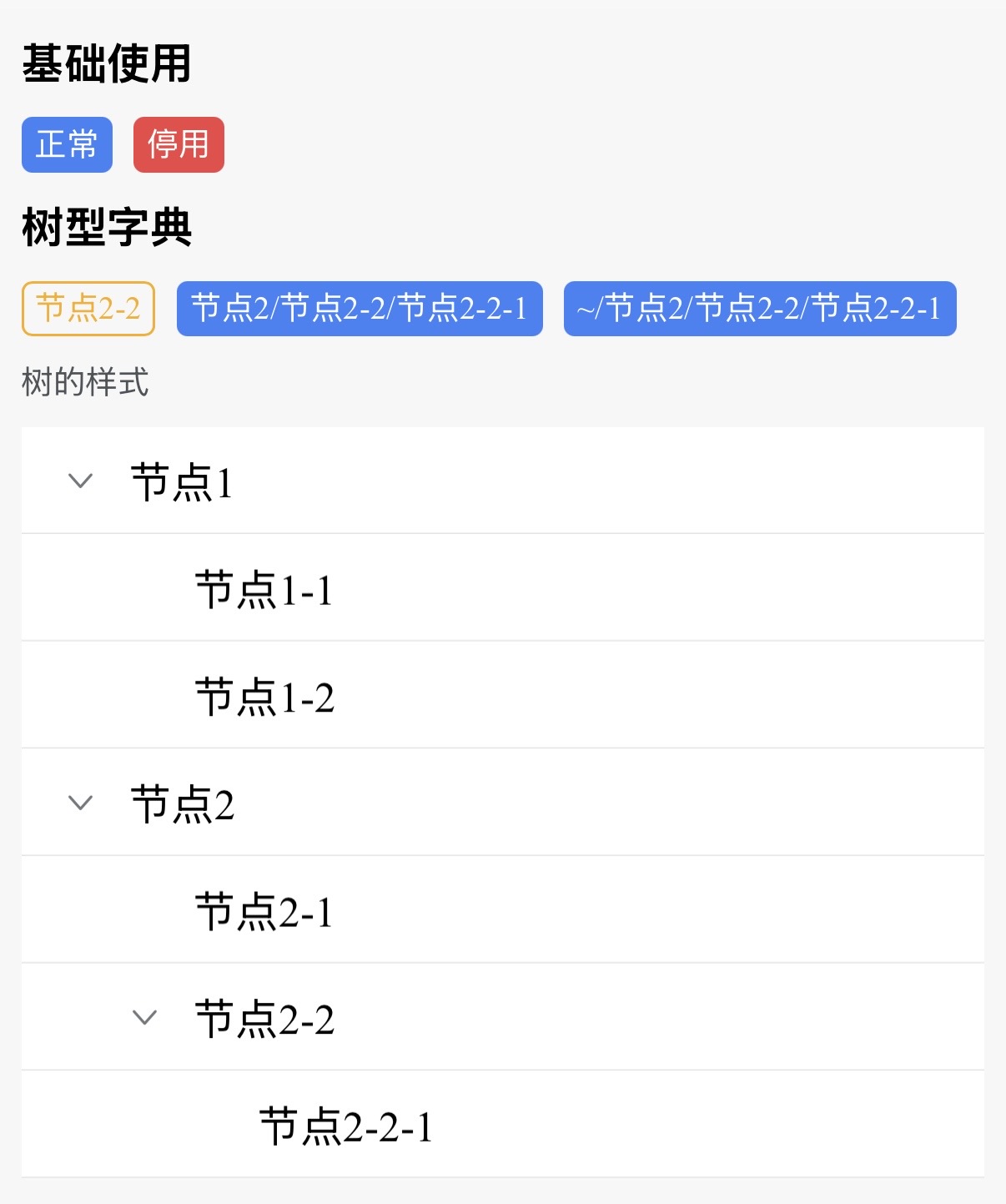
<template>
	<view class="content">
		<sar-space direction="vertical">
			<view class="title">基础使用</view>
			<sar-space>
				<dict-tag dict-data-value="0" :dict-data-option="sys_status"/>
				<dict-tag dict-data-value="1" :dict-data-option="sys_status"/>
			</sar-space>
			<view class="title">树型字典</view>
			<sar-space wrap>
				<dict-tag dict-data-value="2-2" :dict-data-option="test_tree" plain/>
				<dict-tag dict-data-value="2-2-1" :dict-data-option="test_tree" full-tree-node/>
				<dict-tag dict-data-value="2-2-1" :dict-data-option="test_tree" full-tree-node root-tree-node-prefix="~"/>
			</sar-space>
			<view class="description">
				树的样式
			</view>
			<sar-tree :data="test_tree" :node-keys="{ title: 'label', key: 'value' }" default-expand-all/>
		</sar-space>
	</view>
</template>

<script lang="ts" setup>
import DictTag from "@/components/dict-tag/index.vue"
import {initDict} from "@/helpers/dict"

const {sys_status, test_tree} = initDict("sys_status", "test_tree")
</script>
API
属性
| 属性名称 | 描述 | 类型 | 默认值 | 是否必填 |
|---|---|---|---|---|
| dictDataOption | 字典集合 | SysDictDataType[] | - | 是 |
| dictDataValue | 被翻译的字典值 | string | - | 是 |
| plain | 是否镂空 | boolean | false | 否 |
| style | 自定义标签样式 | Object | 否 | |
| fullTreeNode | 展示树型结构全路径 | boolean | false | 否 |
| fullTreeSeparator | 树型结构分隔符 | string | / | 否 |
| rootTreeNodePrefix | 树型跟节点前缀节点 | string | '' | 否 |